University Accreditation
Download University Accreditation |
- Download University Accreditation before 2008
- Download University Accreditation in 2008-2013
- Download Sertifikat Akreditasi Institusi UII Tahun 2013-2018
- Download University Accreditation in 2017-2022
- Download University Accreditation in 2021-2022
- Download University Accreditation in 2022-2027
If there is a QR Code on the accreditation certificate, the certificate does not need to be legalized because it has been declared legal by BAN-PT.
Note: Downloading university accreditation must use a UII email account or include your NIM/NPM and full name
Procedures for Legalizing UII Institutional Accreditation Certificates |
- Application for legalization of UII Institutional accreditation is made if there is no QR Code on the accreditation..
- Submit your order to the service counter at the Directorate of Academic Services (DLA). Students do not need to bring a copy of their institutional accreditation certificate, as it is available at the DLA.
- Attachment of proof of administrative payment amounting to Rp10.000 to Bank Mandiri Account: Universitas Islam Indonesia with number account 1370002021554
- Legalization can be obtained at the DLA service counter by showing proof of payment slip..
- Students receive 4 legalized accreditation certificates.
*NB: If the UII Institution accreditation certificate has a QR Code at the bottom, then the certificate does not need to be legalized because it has been declared legal by BAN-PT.

Direktorat Layanan Akademik
Gedung GBPH Prabuningrat (Rektorat)
Kampus Terpadu Universitas Islam Indonesia
Jl. Kaliurang km. 14,5 Sleman, Yogyakarta 55584 Indonesia
Whatsapp Akademik: 081220002884
Whatsapp Layanan SPP & Catur Dharma: 08988959900
Instagram: instagram.com/akademikuii/
Office Akademik: 0274-898444 ext.1103
Office SPP & Catur Dharma: 0274-898444 ext.1105
Fax: +62 274 898459
Email: Klik Disini
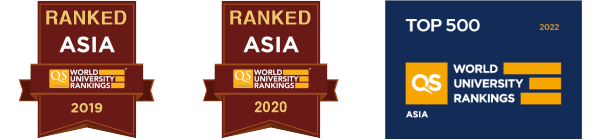
Akreditasi Institusi Unggul. Universitas Islam Indonesia telah mendapatkan Akreditasi Institusi Unggul dari Badan Akreditasi Nasional Perguruan Tinggi (BAN-PT) pada tahun 2022